Transforming Moments: The Power of Artistic Photo Manipulation
There's a certain magic in seeing an ordinary photograph evolve into something breathtaking. Artistic photo manipulation isn't just about editing; it's about storytelling, emotion, and creating a visual that stops someone mid-scroll. For designers, marketers, and content creators, having the right tools to achieve this consistently can be a game-changer. That's where a well-crafted PSD template with smart object functionality steps in, offering a bridge between a raw idea and a polished, professional result without requiring hours of complex work.
Beyond Basic Edits: What Makes These Templates a Designer's Secret Weapon
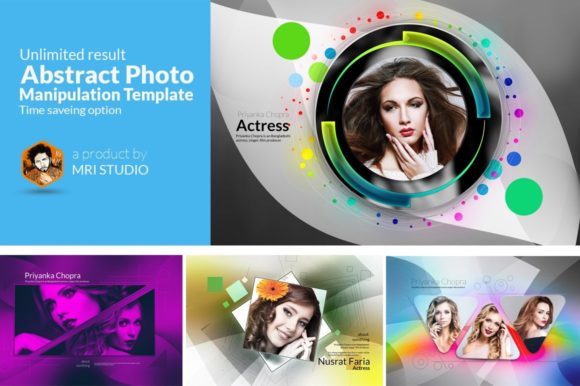
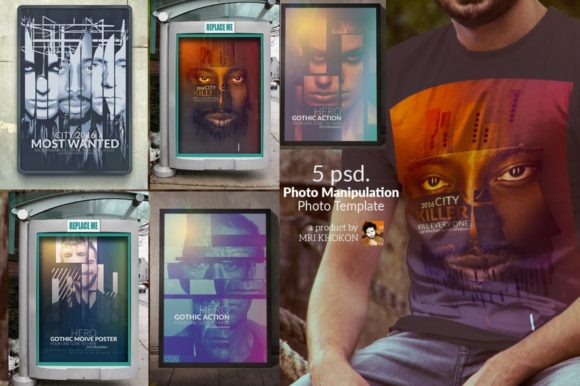
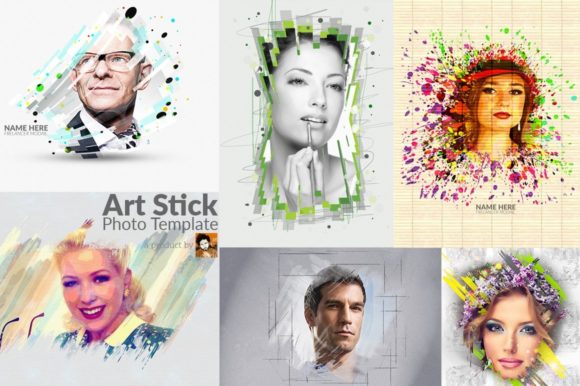
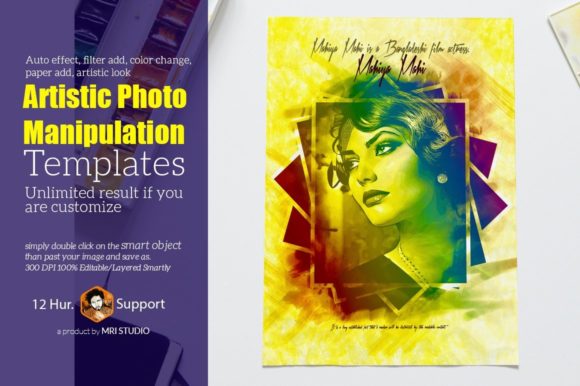
Imagine having a library of 30+ distinct visual styles at your fingertips, each ready to apply to your own images with a few clicks. A quality artistic photo manipulation PSD template isn't a static file; it's a dynamic starting point. The inclusion of a smart object placeholder is the key feature here. You simply double-click the layer, place your photo, save, and watch as the template's intricate effects, lighting, and textures seamlessly wrap around your subject. This process mimics the efficiency of a Photoshop action but with far greater control and customization potential.
The real value lies in the "unlimited result option." While the template provides a foundational look—be it a vintage grain, a dramatic double exposure, or a surreal color grade—you're never locked in. Every layer is editable. You can tweak the color balance, adjust the opacity of overlay textures, swap out paper backgrounds for a more tactile feel, or refine the artistic brushwork. This flexibility means one template can generate dozens of unique outcomes, making it an incredibly cost-effective asset for producing consistent yet varied visual content.
Practical Applications: Where Artistic Manipulation Meets Strategy
This isn't just for creating pretty pictures to hang on a wall. The strategic applications of artistic photo manipulation are vast and directly impact brand perception and engagement.
- Brand Identity & Logo Design: Use manipulated imagery as part of a brand's visual system. A consistent artistic filter applied to team photos or product shots can become a recognizable brand signature, enhancing recall and professionalism.
- Social Media & Marketing Assets: Stand out in a crowded feed. A manipulated image for an Instagram post, Facebook ad, or email header has a higher chance of capturing attention and conveying a specific mood, whether it's luxury, nostalgia, or futurism.
- Packaging & Editorial Layouts: For product packaging or magazine spreads, these techniques can create a cohesive theme that ties multiple images together, elevating the perceived value of the product or story.
- Digital Products & Website Hero Images: The hero image on a website sets the tone instantly. An artistic manipulation can communicate complex ideas—like innovation, creativity, or care—in a single, powerful visual that stock photos often can't match.
For a small business owner or blogger, this means you can develop a sophisticated visual style without hiring a retoucher for every single image. It empowers you to maintain a high-quality, consistent aesthetic across all your platforms, which is crucial for building brand recognition and trust.
Maximizing Your Asset: Smart Object Workflow and Customization
Getting started is straightforward, but a few best practices can help you maximize the potential of these templates. First, always work with high-resolution source images. The template is built at 300 DPI and a generous 3600x2400 pixel resolution, so your starting photo should be of similar quality to avoid pixelation when scaling.
When you open the smart object to place your image, take a moment to position your subject thoughtfully. The manipulation effects are often designed around a central focus. After placing your image, save the smart object file. The main template will update automatically. From there, dive into the layers. Look for groups labeled "Color," "Texture," "Lighting," or "Effects." Experimenting here is where the "unlimited results" come to life.
Consider the end use. For a print poster, you might want deeper contrasts and richer colors. For a website banner, you might dial back the intensity for faster loading and better on-screen readability. The layered, organized structure of a good template makes these adjustments intuitive. Don't forget to check the included help guide—it often contains tips from the creator on how to achieve specific looks or troubleshoot common issues.
Choosing and Pairing for Maximum Impact
Selecting the right artistic style from the available options depends on your project's goal and your brand's personality. A template with a soft, ethereal glow might be perfect for a wedding photographer's portfolio or a wellness brand, while a high-contrast, gritty manipulation could suit a music festival poster or a streetwear label.
Typography pairing is your next critical step. The manipulated image is your canvas; the font is your voice. A bold, modern sans-serif font can complement a clean, geometric manipulation, while a classic serif font might pair beautifully with a vintage-inspired texture. Always test your chosen typeface over the manipulated image to ensure legibility. The background textures and color shifts can sometimes affect readability, so you may need to adjust the font size, weight, or add a subtle drop shadow or background shape to make the text pop.
Remember, the goal is visual harmony. The artistic manipulation should enhance your message, not overshadow it. Use these templates to create a mood, tell a story, or highlight a product, and then use clear, well-chosen typography to deliver the call-to-action or key information. This combination of compelling imagery and thoughtful design is what transforms a simple graphic into a powerful communication tool.