Alune Google Slide Template: A Versatile Design Asset
You’ve got a brilliant idea, a compelling message, or a crucial business update to share. You open your presentation software, stare at the blank slide, and the creative paralysis sets in. How do you make your information not just heard, but felt and remembered? The answer often lies not in what you say, but in the visual framework you build around it. A cohesive, professional presentation template does more than just look good—it builds credibility, guides your audience’s attention, and frees you to focus on your content. This is precisely where a resource like the Alune Google Slide Template steps in, offering a structured yet flexible foundation for anyone who needs to communicate ideas with clarity and style.
Beyond a Single Look: The Power of Premade Color Systems
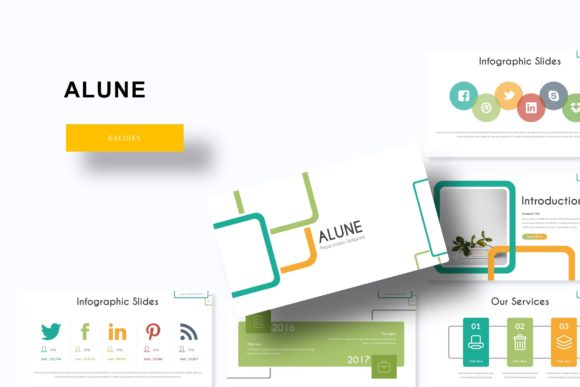
One of the standout features of the Alune template is its approach to color. Instead of offering one static design, it provides five distinct premade color palettes. Each palette isn't just a simple color swap; it's a fully realized visual identity, with 30 meticulously designed slides per color scheme, totaling over 150 slides. This system is a game-changer for practical use. A marketing team can use the deep blue and gold palette for a formal investor pitch, switch to a vibrant coral and teal scheme for a dynamic product launch webinar, and use a soft pastel version for a internal wellness workshop—all while maintaining a consistent structural language and professional feel. This eliminates the guesswork of color theory and ensures your presentation’s mood aligns perfectly with your message, whether you're aiming for authoritative, energetic, or serene.
Infographics That Actually Inform
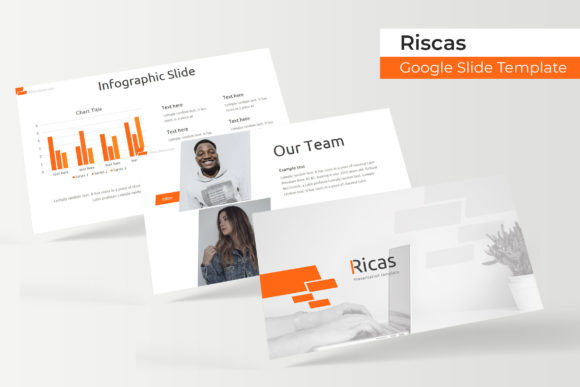
Let’s be honest: a slide cluttered with bullet points is a surefire way to lose your audience. The Alune template addresses this head-on with handcrafted infographics. These aren’t generic, auto-generated charts. They are thoughtfully designed visual narratives for processes, timelines, comparisons, and data relationships. For a small business owner explaining a new workflow, a clean flowchart infographic makes the steps immediately understandable. For a content creator breaking down audience demographics, a stylized pie chart or bar graph can turn numbers into a compelling story. The inclusion of dedicated section break slides further enhances this, providing visual "breathing room" that segments your talk into digestible chapters, much like chapters in a book. This structured pacing keeps viewers engaged and helps them mentally organize the information you’re presenting.
From Portfolio to Pitch: Real-World Applications
The true test of any design asset is its adaptability. The Alune template shines here, with slides meticulously crafted for specific, high-stakes purposes. The Gallery and Portfolio slides are a perfect example. With their clean grid layouts and picture placeholder functionality, a photographer, graphic designer, or architect can drag and drop their work into a polished, professional showcase in minutes. This isn’t just about displaying images; it’s about presenting your craft with the respect it deserves. The Pixel-perfect illustrations included add another layer of sophistication, offering abstract shapes, icons, and graphical elements that can be used to decorate slides, create custom diagrams, or add visual interest without sourcing external graphics. For entrepreneurs, this means having a toolkit to create everything from a sleek company overview to a detailed service breakdown, all within one cohesive template system.
Practicality Meets Polish: The Included Toolkit
Understanding what you get is crucial for integrating any asset into your workflow. The Alune package includes 5 PPTX files, each corresponding to one of the color themes, in a widescreen format. This direct compatibility with Google Slides and PowerPoint means no conversion headaches. The design is based on Master Slides, which is a professional’s best friend. Want to change the global font style or adjust the placement of a recurring element? You edit it once on the master, and it updates across every single slide. This ensures impeccable consistency and saves hours of tedious manual adjustments. Furthermore, all graphics are resizable and editable, giving you complete control to tweak elements to fit your brand’s exact specifications. The inclusion of a Readme First file and a link to the free font used demonstrates attention to detail, ensuring you can replicate the preview’s look without licensing worries.
Matching the Template to Your Project’s Goals
Choosing a presentation template is a strategic decision. Consider your primary objective. Are you building brand recognition? Use one of the five color schemes as your official brand presentation palette for all external communications. Does your project demand readability? The clean layouts and thoughtful typography hierarchy built into the Alune slides are designed for that. For marketing assets like a social media strategy deck or a content calendar presentation, the structured slide layouts help you present plans in a clear, actionable way. Even for digital products—think online course modules or webinar slides—the template’s professional sheen elevates the perceived value of your content. The key is to view the slides not as a rigid cage, but as a sophisticated starting point. The editable nature means you can simplify complex slides or expand upon minimalist ones to fit your exact narrative.
Final Thoughts on Effective Visual Communication
In a world saturated with information, the clarity and professionalism of your presentation can be the deciding factor in whether your idea takes hold. The Alune Google Slide Template offers more than just pretty slides; it provides a comprehensive design system that addresses the practical needs of modern communicators. From its intelligent color variation system and purpose-built infographic slides to its deep customizability and professional file structure, it’s built for real work. It empowers you to create presentations that are not only visually engaging but also structurally sound, ensuring your message is delivered with the impact and professionalism it deserves. Whether you’re closing a deal, educating a team, or showcasing your portfolio, starting with a robust template is the first step toward a presentation that truly resonates.