Linked: The PowerPoint Template for Dynamic Visual Storytelling
Let's be honest: most default PowerPoint templates feel like they were designed in a bygone era. You know the ones—stiff layouts, uninspired color palettes, and graphics that scream "corporate meeting from 1998." If you're building a brand, pitching an idea, or teaching a concept, your slides should work as hard as you do. They need to be clear, compelling, and visually cohesive. That's where a thoughtfully crafted asset like the Linked Power Point Template changes the game. It's not just a collection of slides; it's a structured system designed to help you tell a story with clarity and style.
More Than Slides: A Visual Communication Toolkit
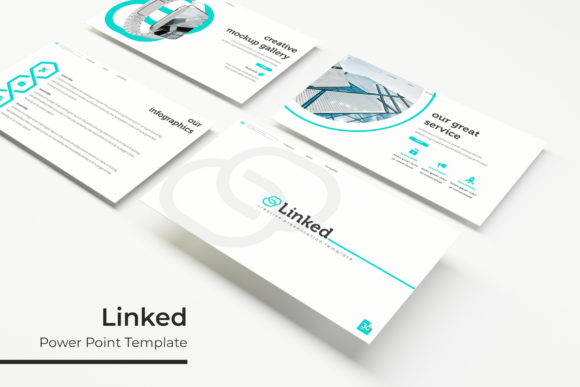
What immediately sets the Linked template apart is its foundation in smart, practical design. With over 150 total slides built upon a master slide system, you're not just getting random pages. You're getting a framework. The pixel-perfect illustrations and handcrafted infographics are designed to be resized and edited without losing quality, which is a lifesaver when you're tailoring content to different audiences. The drag-and-drop picture placeholders mean you can swap out generic imagery for your own photos or branded graphics in seconds, maintaining a professional look without needing advanced design skills.
The real power, however, lies in its organization and visual consistency. The template comes in five premade color themes, each offering 30 meticulously designed slides. This isn't just about having options—it's about instant brand alignment. Whether you're a startup needing a bold, energetic palette or a consultant requiring a muted, sophisticated tone, one of these variations will likely fit. This built-in consistency ensures that every slide in your deck feels connected, reinforcing your message rather than distracting from it. For anyone focused on brand identity, this is a foundational feature. Your presentation becomes an extension of your brand, not a separate entity.
From Boardroom to Social Feed: Where This Template Shines
Think beyond the traditional slide deck. The components of the Linked template are versatile design assets that can be repurposed across numerous projects. The clean section break slides are perfect for creating clear visual pauses in a lengthy report or an online course module. The gallery and portfolio slides offer a ready-made layout to showcase product photos, client work, or past projects with elegance.
Consider these practical applications for designers, entrepreneurs, and creators:
- Brand Presentations & Pitch Decks: Use the structured slides to walk clients through your process, showcase case studies, and present data with clarity. The consistent design language builds trust and professionalism.
- Social Media Graphics & Digital Ads: Extract individual slides or infographic elements. A well-designed chart or a single compelling statistic slide can be exported as an image for Instagram, LinkedIn, or Facebook, creating high-impact social media graphics that stand out in a feed.
- Web Design & Blog Content: The infographic elements can be adapted into website hero graphics or blog post visuals. A process diagram or a comparison chart from the template can make complex blog topics immediately more digestible and shareable.
- Print Materials & Packaging: The vector-based, resizable graphics mean elements can be scaled for use in brochures, one-pagers, or even simple packaging inserts. The clean lines ensure they look sharp in print.
- Internal Training & Documentation: Create engaging training manuals or standard operating procedures. The visual breaks and consistent formatting help with information retention, turning dry documents into effective learning tools.
Practical Advice for Making It Your Own
A template is a starting point, not a finished product. To get the most out of a system like Linked, you need to customize it with intention. First, always start with the "Readme First" file. It’s there for a reason, often containing crucial information about font links and specific editing instructions. The template uses free fonts, which is a huge plus for commercial projects, but you must download and install them to maintain the intended design integrity.
When you begin editing, work from the master slides. This is the most efficient way to ensure global changes—like updating your brand color or logo—propagate across the entire deck. It saves time and prevents the common error of having one slide with a slightly off shade of blue. For your imagery, the drag-and-drop placeholders are your best friend. Use high-quality, relevant photographs. A stunning presentation can be undermined by blurry or generic stock photos, so invest time here or use your own original content.
Finally, think about your audience's experience. The template's strength is its readability and clean hierarchy. Respect that. Don't overcrowd slides with text. Use the infographic sections to visualize data instead of listing numbers. The goal is to support your narrative, not to have your slides compete with you for attention. By treating the template as a flexible toolkit rather than a rigid cage, you can produce presentations that are not only beautiful but also deeply effective in communicating your message, building your brand, and engaging your audience.