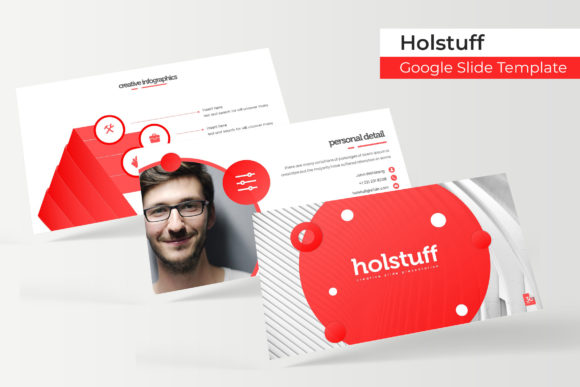
Transform Your Presentations with the Holstuff Template
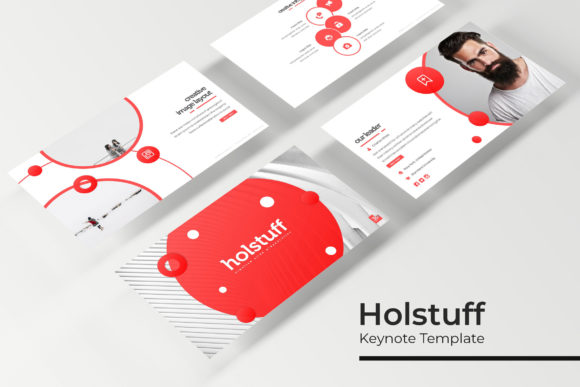
Let's be honest: most slide decks are forgettable. They're either a wall of text on a plain white background or a chaotic mix of mismatched clip art and fonts. Whether you're pitching to investors, teaching a workshop, or presenting quarterly results, the visual quality of your slides directly impacts how your message is received. A cluttered, amateur presentation can undermine even the most brilliant idea. This is where a thoughtfully designed asset like the Holstuff Google Slide Template comes into play, offering not just a single look, but an entire system for professional visual communication.
A System Built for Real-World Flexibility
The core strength of this collection lies in its structured variety. With 150+ total slides across 5 premade color schemes, you're not just getting a template; you're getting a toolkit. Each color variation provides 30 meticulously crafted slides, giving you a consistent yet distinct aesthetic to match different projects, clients, or brand guidelines. This approach is a game-changer for small business owners and marketers who manage multiple brands or campaign themes. Instead of starting from scratch or hacking together a disjointed deck, you can select the color palette that aligns with your specific goal—be it a calm, professional blue for a corporate report or a vibrant, energetic orange for a product launch.
The design philosophy here is clearly rooted in practical application. The inclusion of section break slides and dedicated gallery and portfolio slides shows an understanding of how presentations actually flow. You need clear visual cues to guide your audience through different points, and you need a polished way to showcase work, products, or testimonials. These aren't afterthoughts; they're essential components for content creators and designers building a portfolio or entrepreneurs demonstrating a product's features. The handcrafted infographics are particularly valuable. Data visualization is often the weakest link in a presentation, and having pre-designed, editable charts and diagrams saves immense time while ensuring your information is communicated clearly and professionally.
Practical Design for Seamless Workflow
A beautiful template is useless if it's a nightmare to edit. The Holstuff template addresses this head-on with features that prioritize the user's workflow. Being based on master slides is non-negotiable for efficient editing. This means you can change a font, adjust a color, or update a logo on the master slide, and those changes will cascade throughout the entire presentation. It's the difference between making one change and making fifty.
The picture placeholders with drag & drop functionality are another subtle but critical feature. For anyone creating presentations regularly—whether for social media graphics, internal team updates, or client pitches—this eliminates the tedious resizing and cropping of images. You simply drag your image into the designated area, and it fits perfectly. This pixel-perfect attention to detail ensures your final output looks polished, not hastily assembled. Furthermore, the graphics are fully resizable and editable. This means you can scale an icon or illustration without it becoming pixelated, and you can adjust its colors to match your exact brand palette. This level of control is what separates a generic template from a professional design asset.
Beyond the Slides: A Foundation for Brand Identity
While presented as a Google Slides template, the value of the Holstuff collection extends far into broader brand identity work. The consistent use of typography, color, and graphic style across 150 slides creates a powerful visual language. This is incredibly useful for freelance designers and agencies developing a brand identity for a client. You can use the slides to create not just a presentation, but also mock-ups for social media graphics, website banners, print materials, or even packaging design concepts. The cohesive aesthetic provides a ready-made style guide that can inform other marketing assets.
For the creative entrepreneur or blogger, this template can be the starting point for a visual overhaul. Use the color schemes to define your brand's palette. Pull the infographic styles to create consistent data visualizations for your blog posts or editorial layouts. Adapt the portfolio slides to create a stunning lookbook for your merchandise or digital products. The possibilities extend to creating invitations for events, designing compelling posters, or developing a series of branded web design elements. The template acts as a visual anchor, ensuring that every piece of communication you produce feels connected and professional.
Getting Started and Making It Your Own
Upon download, you'll receive 5 PPTX files (one for each color scheme) in a widescreen format. The package includes a Readme First document with essential instructions, and crucially, a free font download link. This is a considerate touch, as typography is the backbone of design. Ensuring you have the correct typeface installed guarantees the template looks exactly as intended from the first moment.
When you begin customizing, start with the master slides. Define your core brand colors and fonts there first. Then, systematically go through the slides you plan to use, swapping placeholder text and images. Don't feel obligated to use every single slide. The power of having 150+ slides is in the choice it offers. Select the layouts that best serve your narrative. Experiment with the infographic elements to visualize your unique data. The goal is to use the template as a springboard for your own content, not to be confined by it.
Remember, the most effective presentations tell a clear story. The Holstuff Google Slide Template provides the visual framework—the clean layouts, the professional graphics, the consistent style—so you can focus entirely on your message. It’s a practical solution for anyone who needs to communicate ideas with clarity and visual appeal, turning a routine obligation into an opportunity to make a lasting impression.