Dolce PowerPoint Template: A Modern Design Toolkit
Creating a presentation that truly captivates an audience goes far beyond simply dropping text onto a slide. It requires a cohesive visual language, a story told through color and layout. For many entrepreneurs, marketers, and designers, the struggle isn't the content itself, but the execution. This is where a thoughtfully crafted design system like the Dolce PowerPoint Template becomes an invaluable asset. It’s more than a collection of slides; it's a comprehensive toolkit designed to bring a level of polish and professionalism to your ideas that was once only achievable with a dedicated design team.
Beyond the Basics: Understanding the Visual Engine
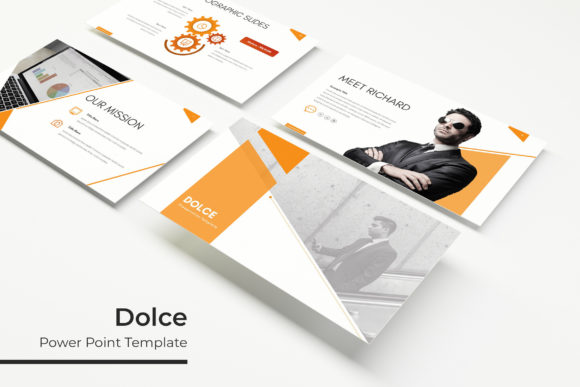
At its core, the Dolce template is built for efficiency and visual impact. The promise of 150+ total slides might sound overwhelming, but its structure is what makes it manageable. The system is organized around five premade color themes, each containing 30 meticulously designed slides. This approach immediately solves a common branding challenge: maintaining consistency. Instead of starting from a blank canvas each time, you select a color palette that aligns with your brand identity and have a ready-made suite of layouts at your fingertips.
The real value lies in the details. Every element, from the handcrafted infographics to the section break slides, is pixel-perfect. This means charts, timelines, and data visualizations aren't just generic placeholders; they are designed to be clear, engaging, and aesthetically aligned with the overall template. The gallery and portfolio slides are particularly useful for creatives. A photographer, interior designer, or craft business owner can showcase their work in a clean, professional grid that feels more like a curated lookbook than a standard business presentation.
Practical Applications for Real-World Projects
Think of this template not just for investor pitches or quarterly reports, but as a dynamic asset for your entire visual communication strategy. Its utility stretches across numerous professional needs.
- Brand Identity and Pitch Decks: For startups and small businesses, a consistent brand presentation is non-negotiable. Use the Dolce template to create a master brand guide presentation or a compelling pitch deck that visually echoes your website and social media.
- Marketing and Sales Materials: Develop visually engaging social media graphics, webinar slides, or product launch presentations. The drag-and-drop picture placeholders make it simple to insert your own photography or product shots, creating custom marketing assets in minutes.
- Educational and Editorial Content: Educators, bloggers, and content creators can transform complex information into digestible visual stories. The infographic slides are perfect for breaking down statistics, processes, or comparisons for an online course or a blog post companion.
- Client-Facing Proposals and Reports: Impress clients with a polished proposal or a beautifully formatted project report. The section break slides help organize content logically, guiding the viewer through your narrative with visual cues.
The inclusion of resizable and editable graphics is a critical feature. It acknowledges that no two projects are identical. You have the creative freedom to adjust, recolor, and reposition elements to fit your specific needs, ensuring the final product feels uniquely yours rather than a template you simply filled in.
Streamlining Workflow and Enhancing Creativity
One of the most significant advantages of a system like this is the time it saves. The foundation is built on master slides, which is the professional standard in PowerPoint design. This means you can make a change to a font, color, or logo on the master slide, and it will automatically update across all 150+ slides. This is a game-changer for maintaining brand consistency, especially when working with a team or updating assets across multiple presentations.
The practical inclusions demonstrate an understanding of the end-user's workflow. Providing five separate PPTX files for widescreen format, each for a different color theme, means you can start working immediately without spending time on initial setup. The "Readme First" file and the included font links are thoughtful touches that prevent the common frustration of opening a file to find missing fonts. It’s these kinds of details that separate a premium design asset from a basic download.
For those concerned about licensing, it's always wise to review the terms for any commercial project. Typically, templates like this are licensed for both personal and commercial use, allowing you to create presentations for clients, sell digital products, or use them in your business marketing. This makes it a sound investment for freelance designers, agencies, and entrepreneurs alike.
Making It Your Own: A Foundation for Your Vision
Ultimately, the Dolce PowerPoint Template serves as a powerful starting point. Its clean, modern aesthetic provides a neutral yet sophisticated canvas that can adapt to various industries—from tech and finance to lifestyle and creative services. The true magic happens when you infuse it with your brand's unique personality. Swap out the placeholder images with your own high-quality photography, adjust the color palette to your exact brand hex codes, and populate the slides with your compelling content.
By handling the heavy lifting of layout, alignment, and visual hierarchy, the template frees you to focus on what truly matters: your message and your story. It’s a tool designed not to constrain your creativity, but to channel it more effectively, ensuring that the visual presentation of your ideas is as strong as the ideas themselves. In a world where first impressions are increasingly digital, having a reliable system for creating professional, engaging visuals isn't a luxury—it's a strategic advantage.